For alignment and calibration
Link an image to a mapped viewpoint, adjust camera parameters, define the field of view and refine its position.

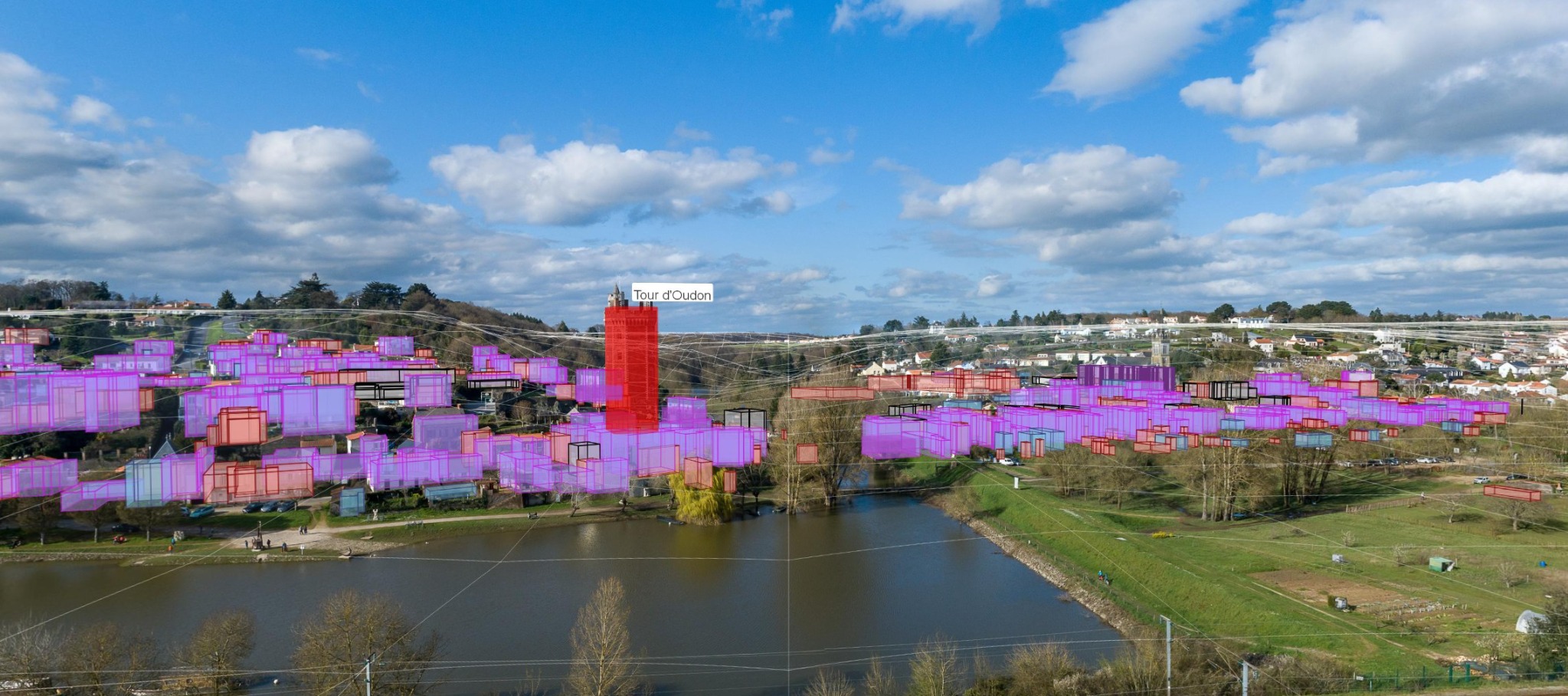
Project your vector layers into your photos
QCALVIEW is a QGIS extension designed to align photographs and provide immediate visual interpretation from the trio [ viewpoint / image / vector data ] inside your QGIS project.
The idea is simple: move quickly, stay clear, and show something credible from the very first iterations.
Public beta version available from the GitLab releases page.
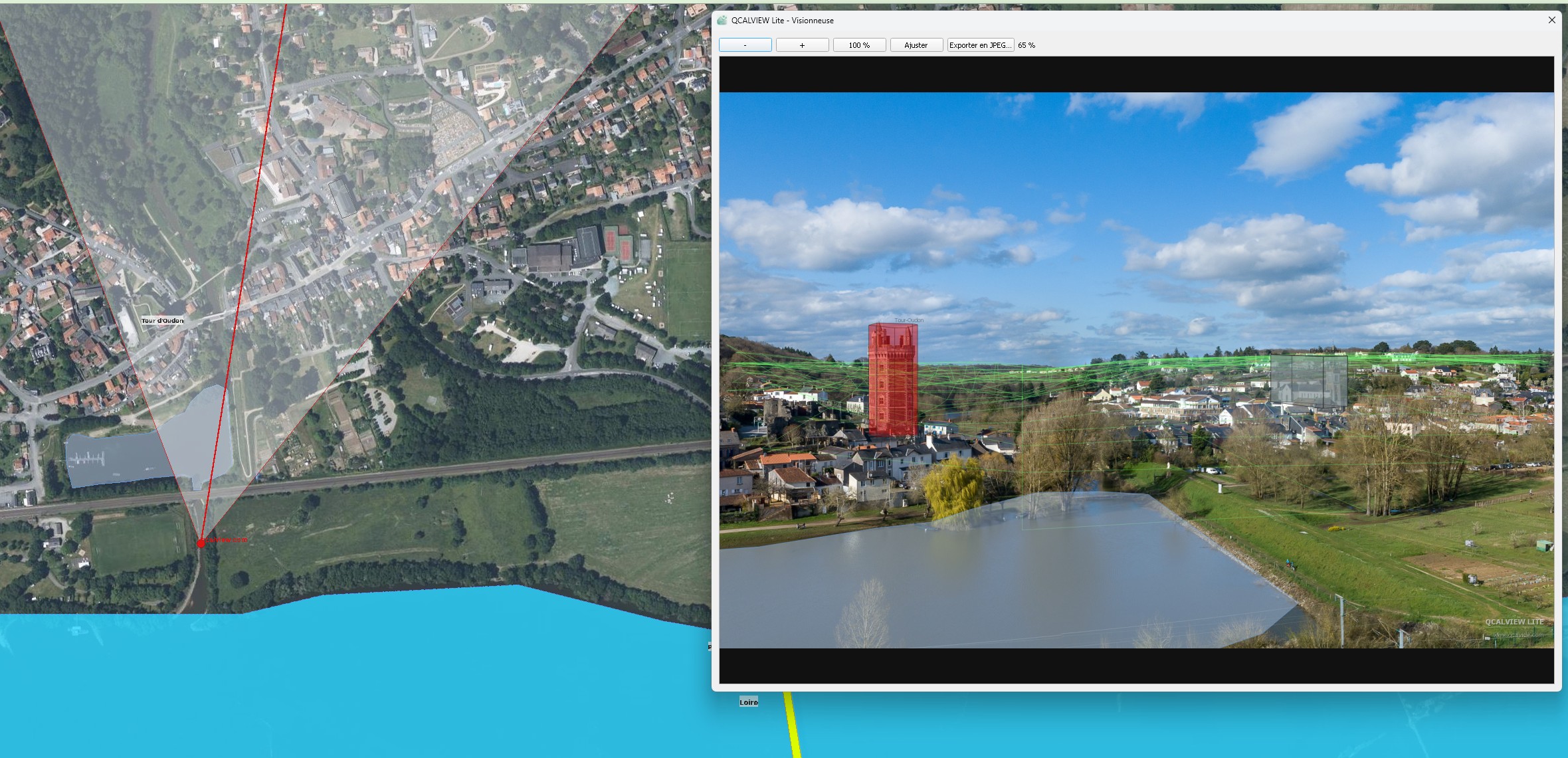
Halfway between cartographic support and fully realistic photomontage, QCALVIEW connects your maps and your photographs so you can position and compare faster.
Built around QGIS 3.4 — import your photo and refine its position, define its field of view, height and more…
Link an image to a mapped viewpoint, adjust camera parameters, define the field of view and refine its position.
Display up to 5 vector layers with fewer than 50 features inside the image to better understand a layout, boundary or context.
Export and prepare discussions, sketches or decisions more quickly, without relying on other software.
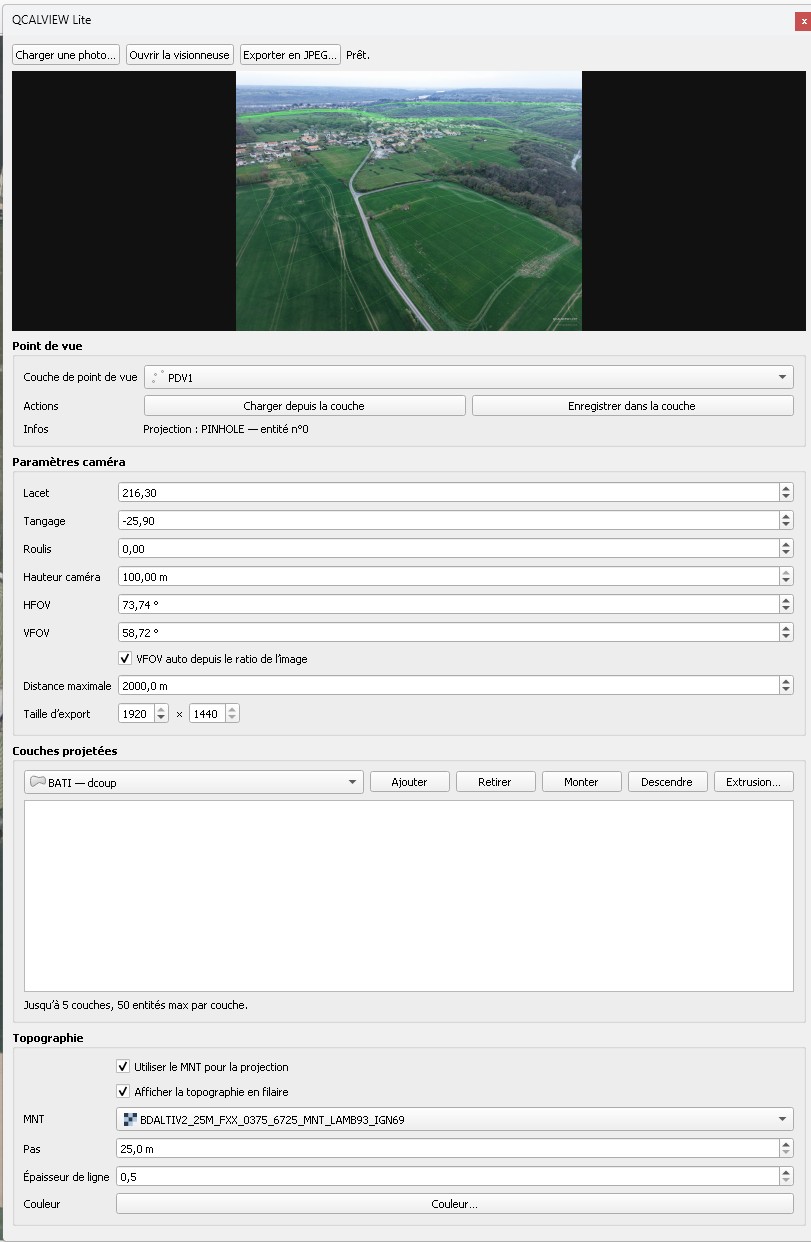
A direct structure: load the image, choose the viewpoint, adjust camera settings, projected layers and topography.
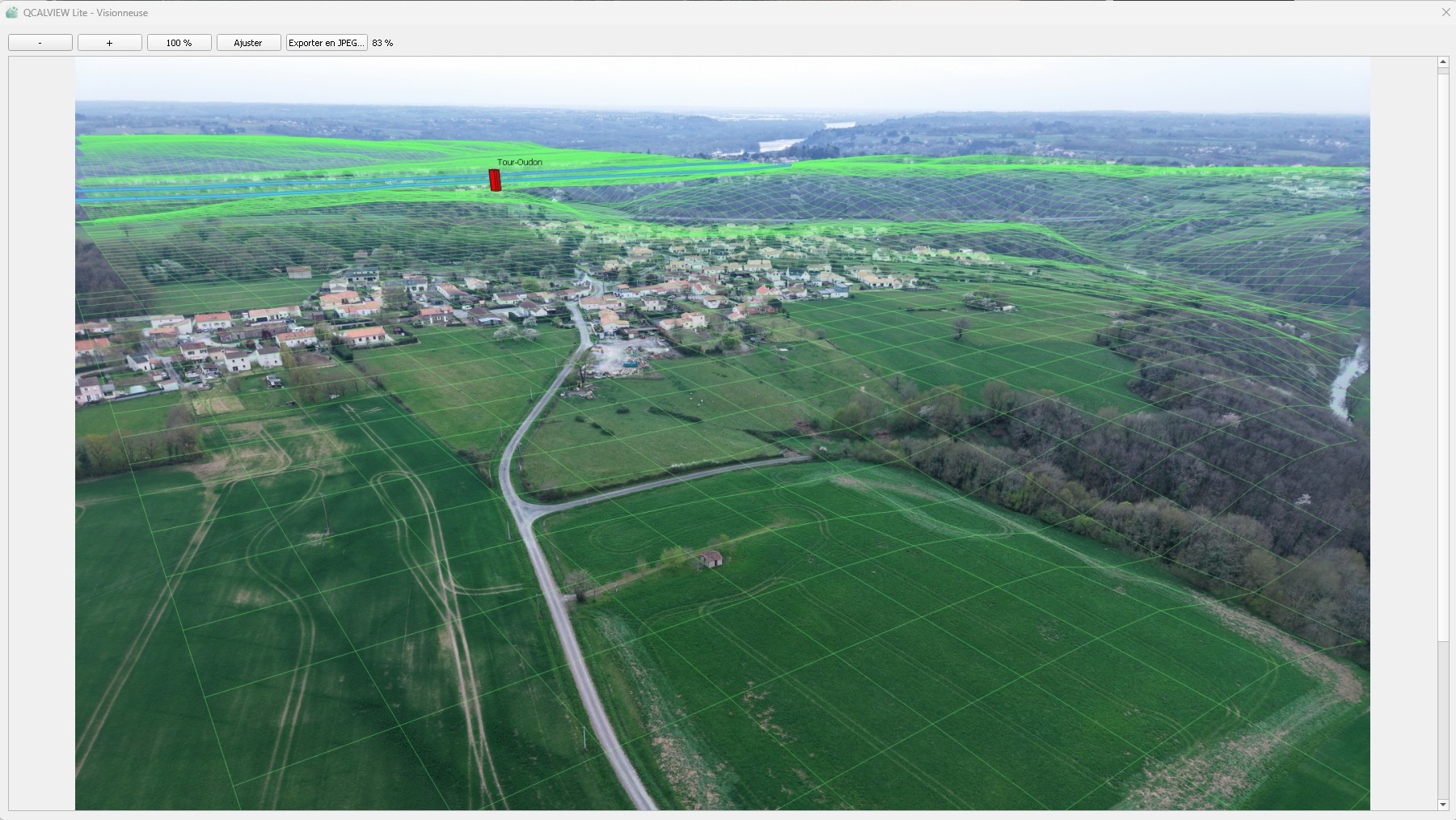
The viewer focuses on the image, the terrain and the projection of useful data without overwhelming the user.
Layout reading, photo projection, terrain understanding or preparation for a more advanced rendering.
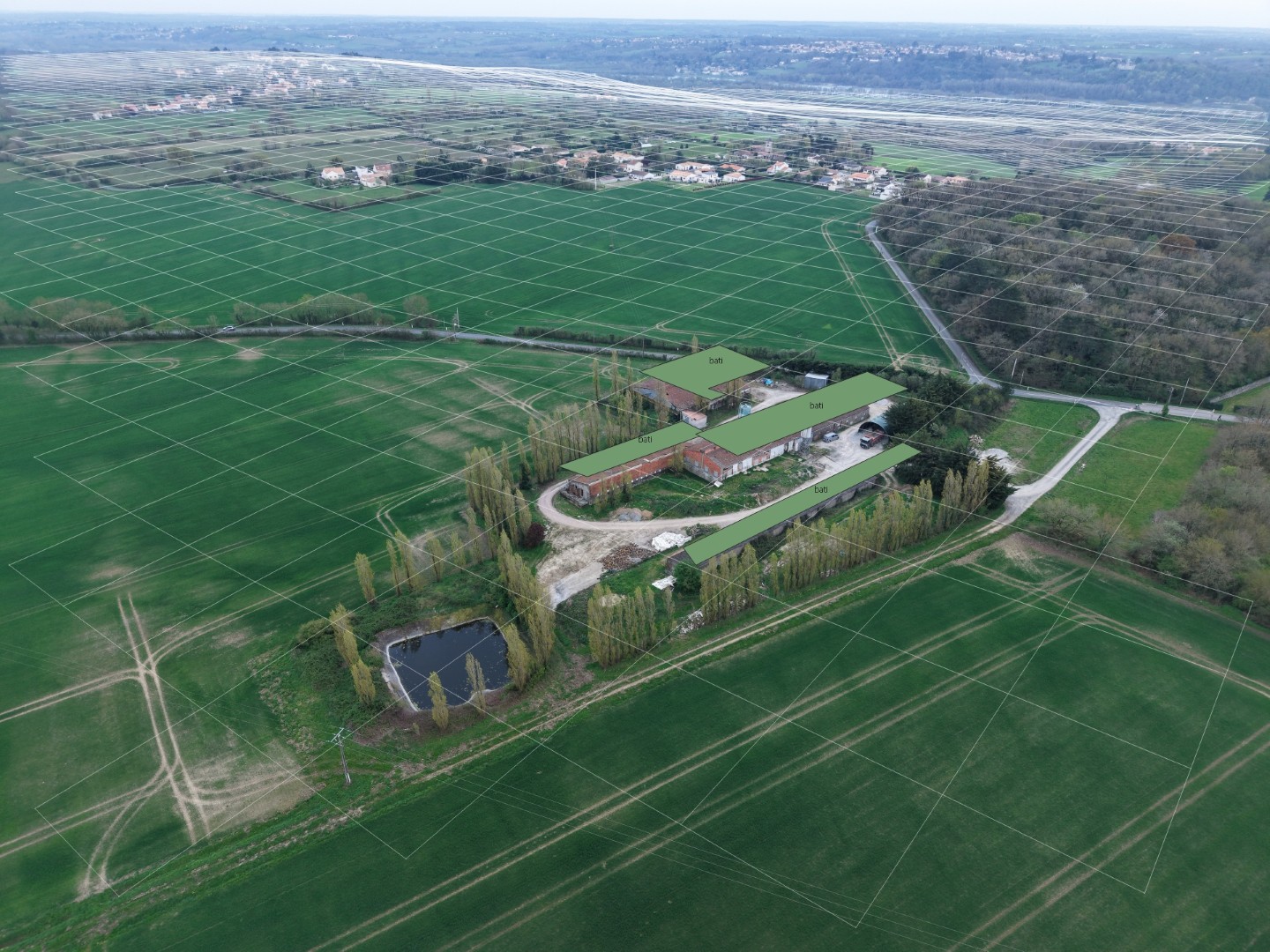
Georeference your images precisely, not just in terms of position: adjust the field of view and shooting axes
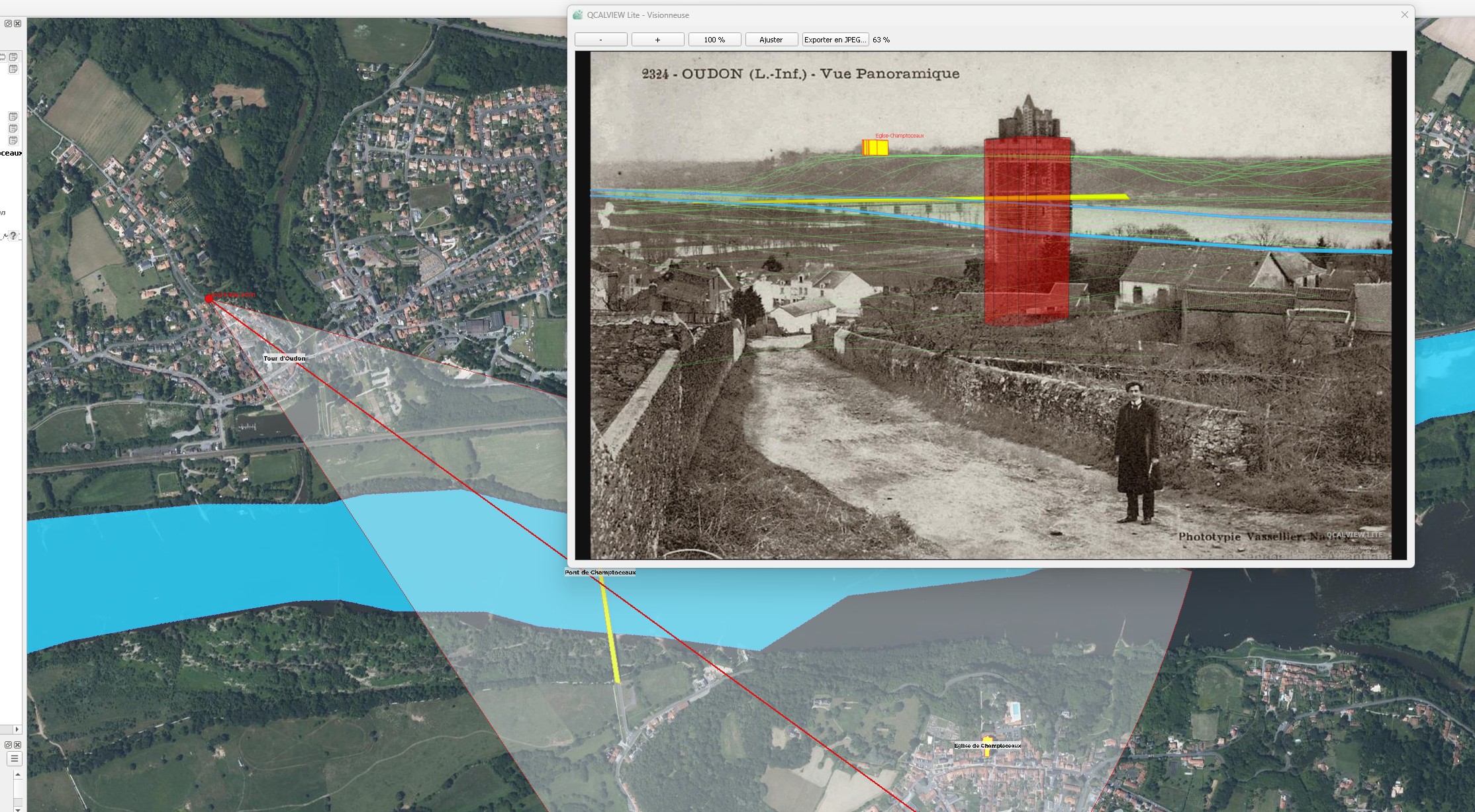
The link between cartographic interpretation, the view cone and the representation inside the image becomes much more direct.

QCalview can also be used as an upstream tool to test and compare an implementation hypothesis.
This is no longer just an idea — it already works.
QCALVIEW in action, interface directions, display modes and use cases.
This is 2026, and this is the tool QGIS is missing today — alongside its evolution toward georeferenced 3D data support.
This is not only about adding more checkboxes, but about building a continuum between GIS, image, terrain, sketching, representations, project comparisons and immersive demonstrations.
Today you use several tools to achieve something similar.
Tomorrow you will be able to do it all from QGIS.
QCALVIEW Lite opens the door — QCALVIEW goes further
Much still has to be imagined and integrated in order to enrich the tool and broaden its possibilities.
Display more, and faster, inside an aligned view with full GPU support.
Produce measurements or survey work directly from aligned photographs.
Generate consistent depth masks to apply quick effects, attenuation and contrast adjustments.
Create more direct links to visual and technical workflows by exporting the right data.
Assess routes or build videos from aligned image sequences.
Prepare simple, readable deliverables through atlas-based layouts to explain a project and support discussions.
To support the development of your projects.
Would you like to integrate this tool into your workflow or take part in its development?